slide-ai-kit
Themed PowerPoint decks from a declarative spec, made for AI agents (and people who script).
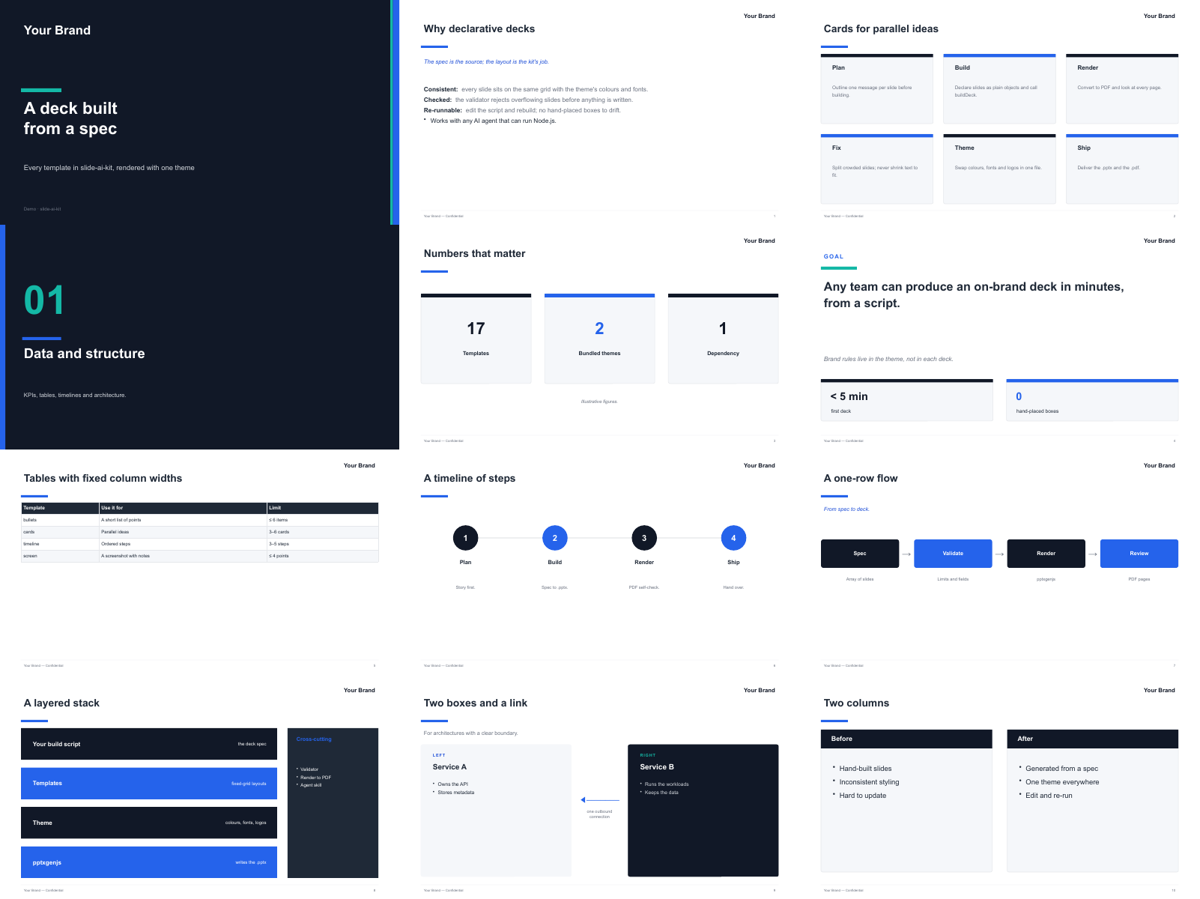
- 17 fixed-grid templates: cover, section, bullets, cards, KPIs, goal, table, timeline, flow, stack, two-column, tracks, Gantt, two-plane architecture, screenshot + notes, hero shot, closing.
- Themes hold every brand decision: colours, fonts, logos, footer. Decks never hard-code styling.
- Validator rejects overflowing or malformed slides before anything is written.
- Render-to-PDF self-check (LibreOffice) so an agent can look at what it built.
- One dependency: pptxgenjs.
| Default theme | Branded theme (Nodus) |
|---|---|
 |
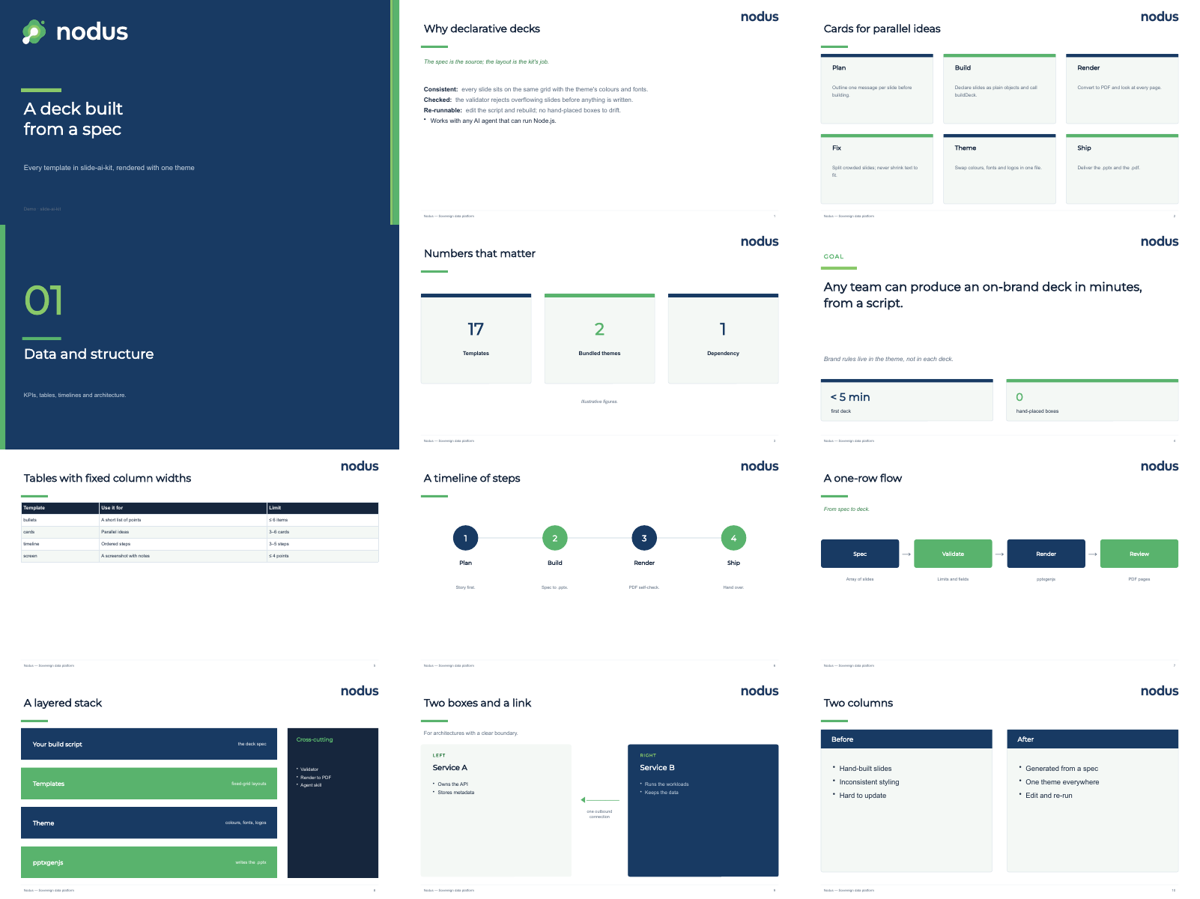 |
| Neutral slate + blue, the brand name drawn as text | Logo mark + wordmark, brand colours |
Install
npm i -g github:sparklabx/slide-ai-kit     # CLI: slide-ai
# or as a project dependency
npm i github:sparklabx/slide-ai-kit
Rendering to PDF needs LibreOffice (soffice on PATH, or set SOFFICE).
Use
import { buildDeck } from "slide-ai-kit";
import theme from "slide-ai-kit/themes/default";

await buildDeck([
  { t: "title", title: "Quarterly review", subtitle: "Engineering", meta: "Q3 2026" },
  { t: "bullets", title: "Highlights", items: [
    { h: "Shipped:", t: " the new billing flow" },
    "Halved build times",
  ] },
  { t: "kpi", title: "Numbers", kpis: [{ value: "99.95%", label: "Uptime" }, { value: "-48%", label: "Build time" }] },
  { t: "closing", title: "Thank you", contact: "team@example.com" },
], "/abs/path/review.pptx", { theme });
slide-ai render review.pptx # → review.pdf
slide-ai templates # every template's fields and limits
npm run demo # out/demo-default.pptx and out/demo-nodus.pptx: every template, both themesMake a theme
Copy themes/default/theme.mjs and edit it:
export default {
  name: "Acme",                       // drawn as text when there is no logo
  footer: "Acme — Confidential",
  colors: { dark: "0B1F3A", primary: "E4572E", accent: "F3A712", ink: "1F2937", /* … */ },
  ramp: ["0B1F3A", "E4572E"],         // what cards/steps cycle through (must read with white text)
  fonts: { head: "Montserrat", body: "Arial" },
  logos: {                            // PNGs; aspect = width / height
    word:      { path: "/abs/acme-wordmark.png",       aspect: 3.5 },   // light slides
    wordWhite: { path: "/abs/acme-wordmark-white.png", aspect: 3.5 },   // dark slides
    mark:      { path: "/abs/acme-mark.png",           aspect: 1 },
    markWhite: { path: "/abs/acme-mark-white.png",     aspect: 1 },
  },
  brand: { mark: true, sectionLogo: false },   // mark + wordmark on cover/closing; no logo on section slides
};
See themes/nodus/ for a complete branded theme.
For AI agents
skills/slide-ai/SKILL.md is a ready-made skill (Claude Code and compatible agents): copy or symlink it
into your agent’s skills folder. slide-ai workflow prints the build loop with absolute import paths.
License
Apache-2.0. The Nodus logos in themes/nodus/assets/ belong to the Nodus project and are included only
as a theme example.
Source: README.md on GitHub ↗